Can families picture what they are buying?
Summary: Claudia Platzer discusses a feature called Dynamic Display Images, which enhances the shopping experience by using a shopper's selected photo to preview products more realistically. They explain the setup process, which involves creating or duplicating a display template in Designer and assigning it to the relevant product or package. The goal is to improve customer understanding and satisfaction with the visualization of products in their shopping cart.
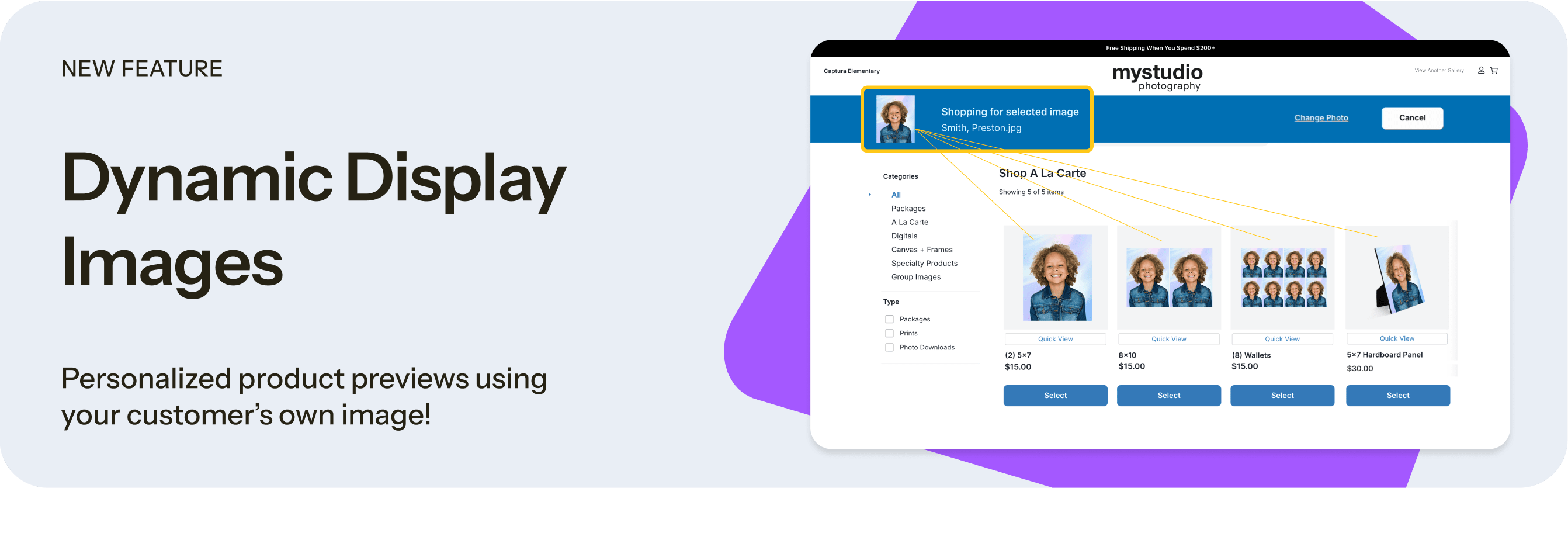 This week in Revenue Opportunities, we are revisiting Dynamic Display Images and Designer.
Dynamic Display Images use a shopper’s selected photo to show a more relevant preview of supported products and packages in the shopping cart. That can make crop, shape and presentation easier to understand—and help the finished product feel more real.
Learn more here: https://hubs.ly/Q04CZ-Z00
The setup spans two places: Designer → Price Sheet.
Create or duplicate the display template in Designer, assign it to the correct product or package, review the fallback image, then test the customer view on desktop and mobile.





MEGAN SCHAIN
I love this feature that has been added. Thank you. I think it is helping sales.